Menu and catalogue
Departments, categories and subcategories, photos taken with the phone, ingredients. Options with different prices (glass or bottle) and preparation choices with a surcharge. Sold-out items can be hidden without deleting them.
Digital menu and orders
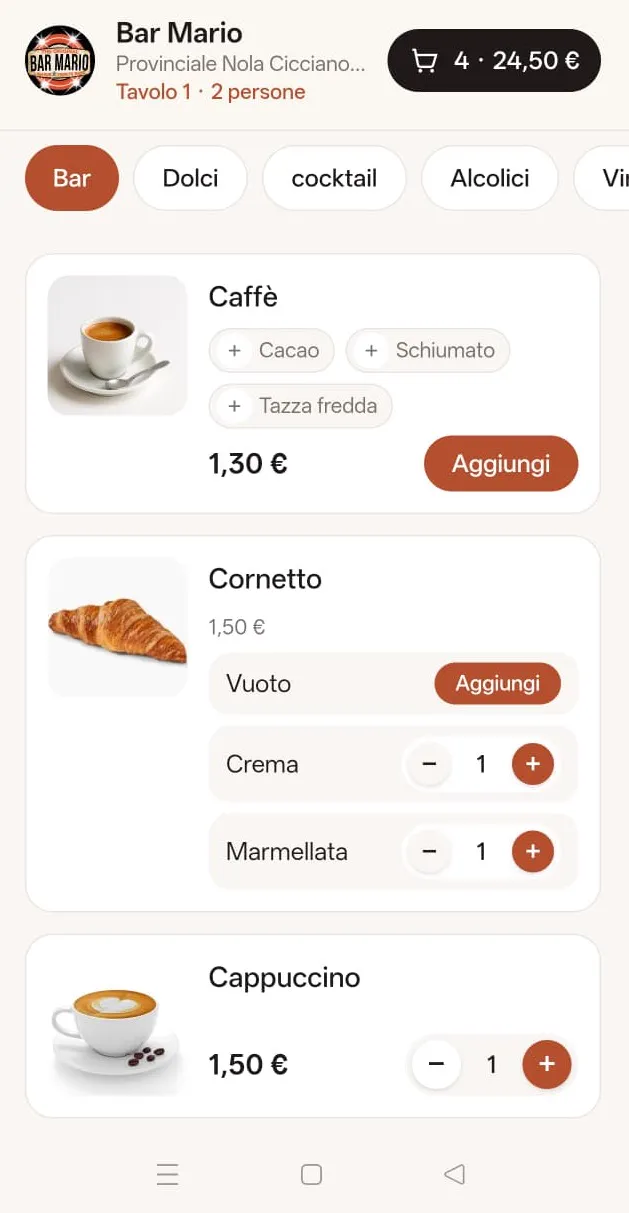
MenuBar is the QR code digital menu for bars, restaurants, pubs and beach clubs. Guests browse the menu and order from their seat; the ticket reaches the counter announced by voice and already split between bar, kitchen and pastry. No app to install, for anyone. The digital menu is always free.
How it works
Everything in the phone's browser: guests download nothing and create no account; staff use a single panel, on a phone or on a screen at the counter.
Guests read the menu in eight languages, but for now the menu is written in Italian and the staff panels (admin, waiter and till) are in Italian. If your staff don't speak Italian, talk to us first.
All the features
The system covers the whole journey, from building the menu to closing the bill. Available features depend on the plan you choose.
Departments, categories and subcategories, photos taken with the phone, ingredients. Options with different prices (glass or bottle) and preparation choices with a surcharge. Sold-out items can be hidden without deleting them.
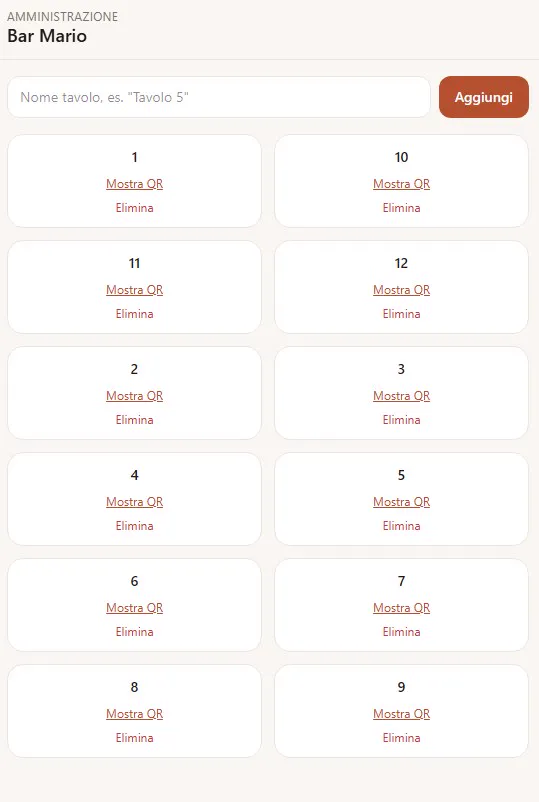
One QR per table, one for the venue, one for bookings and one for the admin. Codes impossible to guess from home; the table address can also be written onto an NFC sticker.
Each category has its department (bar, kitchen, pastry…). A list per table, "ready" and "served" states, and side-by-side panels to follow several tables on one screen.
For staff when a request or an order arrives, for guests when their order is on its way. With vibration, and the screen kept on at the counter.
Separate access from the admin: open and booked tables, bill splitting between several people, closing tables and sending courses, so the second course doesn't go cold next to the first.
Tap-to-add price list with photos and variants, five open registers at once, cash and card even mixed with change calculated, simple paper receipts and the room seen from above. Installs as an app on tablet, PC or phone.
A QR for the window or social media to book and browse the menu, without ordering. The number is confirmed with a WhatsApp message and every new booking is announced by voice.
Whoever arrives scans the QR at the door, leaves a name and the number of guests and sees their turn. From the till or the waiter's phone staff send a heads-up and assign the table: the guest gets "you can come in".
Italian, English, French, Spanish, Polish, Romanian, Dutch and Russian, with translations generated in one click. The 14 allergens of EU Regulation 1169/2011 are ticked from a list and appear under each item.
Ask for changes by voice or in writing: "coffee goes to 1.30", "the Averna is out, hide it". The assistant proposes, the server checks, and nothing changes until the admin confirms.
Takings month by month compared year on year, rankings by category, product or waiter, and how much guests ordered by themselves from their own phone.
For Italian venues: from the till you pick or create the customer and the electronic invoice goes to the SDI, numbered by year, with the status of each one and sending by email with the XML.
A menu open to everyone is also a menu that can be ordered from home. That's why nobody can send an order until staff have accepted their table, and the block is enforced by the server, not just hidden on screen. Every item's price is always re-read by the server.
Pricing
The digital menu is always free. Until 31 December 2026 artificial intelligence and order management are free too: turn them on when you need them.
The QR code digital menu, always up to date: unlimited categories and items, photos, descriptions, options and variants, allergens, the venue's QR code ready to print. No credit card required.
Everything in Menu only, plus the assistant that edits the menu by voice or in writing, suggested allergens, item photos generated by AI and the menu translated into 8 languages.
Menu, AI and the whole ordering system: orders from the table, tickets split by department, tables, waiters and bill splitting, till, bookings verified on WhatsApp, tables and sunbeds.
From 1 January 2027: Advanced menu with AI €4 a month; Order management free up to 10 tables, above 10 tables price on request. Prices plus VAT. Change plan whenever you like, no lock-in. Up-to-date prices on menubar.it.
FAQ
Yes: the QR code digital menu is always free. Until 31 December 2026 the AI assistant and full order management are free too; from 1 January 2027 the AI assistant costs €4 a month and order management stays free for venues with up to 10 tables (above 10 tables, price on request). Prices plus VAT.
No. MenuBar is a website: the guest scans the QR code and the menu opens in the phone's browser, with nothing to install and no account to create. The same goes for the staff.
Nobody can order until the staff have accepted their table, and the block is enforced by the server. Table codes cannot be guessed, and the price of every item is always re-read by the server.
Eight: Italian, English, French, Spanish, Polish, Romanian, Dutch and Russian. With the AI plan, translations are generated in one click and can be corrected language by language. The menu itself is written in Italian, and tickets and bills stay in Italian.
Yes: the fourteen allergens of EU Regulation 1169/2011 are picked from a fixed list and appear in the menu under the item name.
Yes: MenuBar is designed for bars, restaurants, pubs and beach clubs. Guests scan the QR code on the table or the beach umbrella; the code can also be written onto an NFC sticker.
Yes: a dedicated QR code, to put in the window or on social media, lets people book and browse the menu but not order. The phone number is verified with a WhatsApp message.
MenuBar is developed by ATSoft, a software house based near Naples, Italy, in business since 1993, which also provides direct support: in English on WhatsApp at +39 333 223 3552 or at info@atsoft.it.
Try it in your venue
Ask ATSoft for an activation key: then a name, address, phone number and a photo of the venue are all it takes. For a shop with stock, invoices and accounting there is also our online business software KeyStore in Cloud.
Go to menubar.itContact ATSoft →