Send now or schedule
Reusable ready-made messages, sent straight away or at a chosen time, to everyone, to a group or to selected customers.
Customer notifications
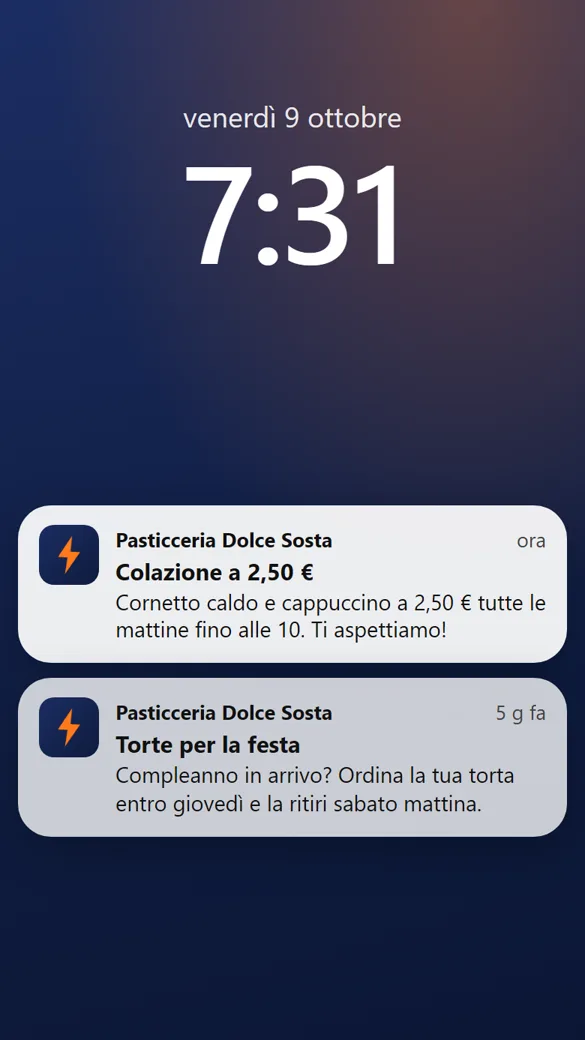
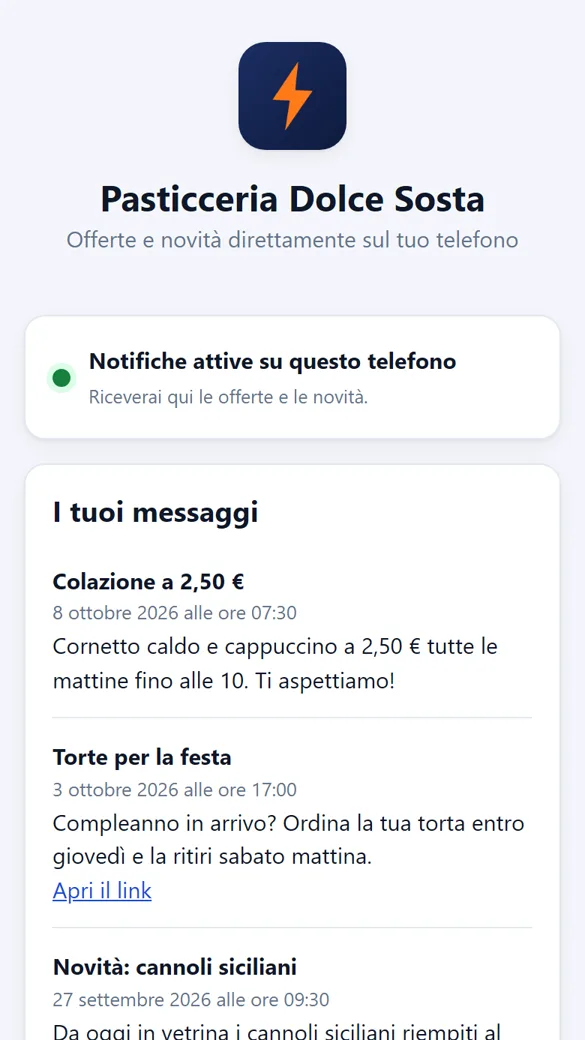
QuiCli helps shops and businesses stay in touch with their customers: the shop displays its QR code, the customer scans it, signs up and turns on notifications. From then on, offers and news go straight to their phone, with no app to download.
How it works
Features
Reusable ready-made messages, sent straight away or at a chosen time, to everyone, to a group or to selected customers.
The shop creates its own characteristics with options (for example the town) and each customer picks theirs. Then you filter customers and write only to them.
Customers are organised into groups, so you send offers and news only to those who are interested.
For each send you see how many customers received the notification and how many opened it.
Customers find the messages they have received, change their interests, turn off notifications or unsubscribe: their data is deleted immediately.
The shop's poster with its own QR code, as a quarter-A4 PDF or to print on A4.
Each shop has its own sign-up, and customers can add it to their home screen like an app, with the shop's name.
The list of subscribers downloads as a CSV file, with a column for each interest.
Each shop sees only its own customers, notifications travel encrypted and 3 wrong passwords lock access for an hour.
On iPhone (iOS 16.4 or later) notifications arrive once QuiCli has been added to the home screen: the page explains how, step by step. Customers can still sign up and read messages without turning them on.
Frequently asked questions
No: they scan the shop's QR code and sign up from their phone's browser. If they like, they add the shop to their home screen like an app.
Yes, from iOS 16.4: notifications arrive once QuiCli has been added to the home screen. Even without notifications, the customer can sign up and read messages on their page.
First name, surname and phone number, plus their interests if the shop asks for them. They accept the privacy notice and choose whether to turn on notifications.
Yes: to a group, to selected customers or to those found with the interest filter, for example only people who live in a certain town.
Yes: for each send QuiCli shows how many customers received the notification and how many opened it.
From their page: they can turn off notifications or unsubscribe, and their data is deleted immediately.
ATSoft, a software house based in Camposano, near Naples, in business since 1993: phone +39 081 235 42 19 (Italian and English), WhatsApp +39 333 223 3552 (we reply in English within the day).
Let's talk
We show you how it works and set it up for your business. For bars and restaurants there's also the MenuBar digital menu; for shops with stock and a till there's KeyStore in Cloud, our business software, which also emails promotions to customers.
Go to quicli.keystore.itContact ATSoft →