Presenze records arrivals and departures with two NFC tags at the entrance and the employee's phone: no badges, no terminals, no app to install. Hours, late arrivals and overtime are worked out automatically, and the owner keeps track of everything from one page. Designed for shops, workshops and family businesses.
Two tags on siteTwo NFC tags, IN and OUT, are stuck by the entrance. No reader to install, no cables.
The employee's phoneThe owner sends a link on WhatsApp: the employee opens it once and their phone is enabled.
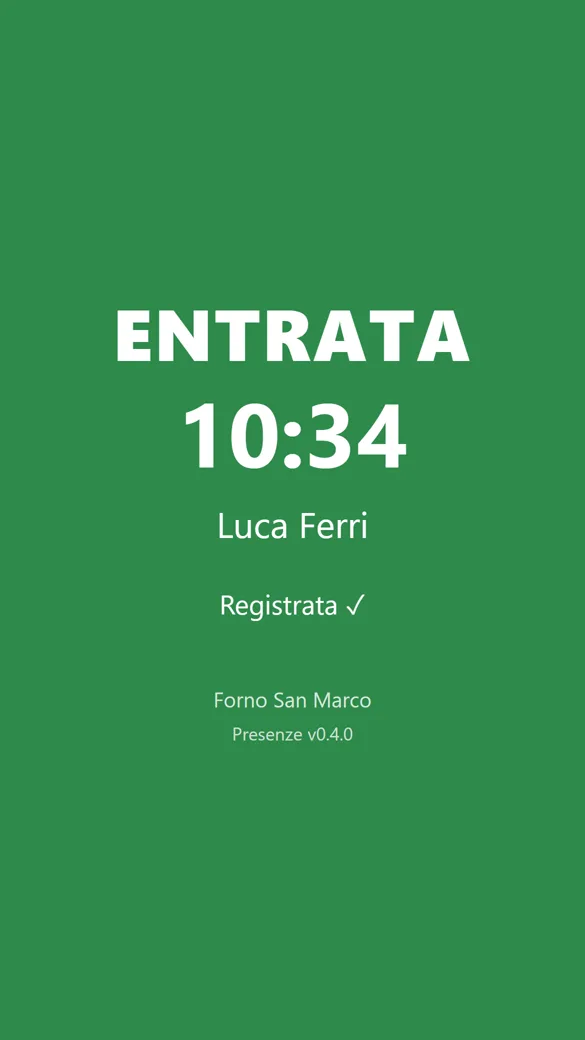
Tap and doneThe employee holds their phone to the tag and the clock-in is recorded with the server time.
Features
Everything a small business needs for staff attendance.
NFC tags that can't be cloned
NTAG 424 DNA tags: every read is cryptographically signed, so the tag can't be copied or used remotely. For anyone whose phone has no NFC, you print the IN and OUT QR codes on an A4 sheet, with the same address as the tags.
Working hours to fit
Weekly schedules with a lunch break, working or non-working Saturdays and Sundays, part-time, and from/to schedule periods for each employee when their hours change.
Automatic calculations
Late arrivals, early departures and overtime are worked out automatically, with a tolerance you decide: within the tolerance the shift time applies, but the exact time is still recorded. On public holidays every hour counts as overtime.
Public holidays built in
National public holidays, Easter Sunday and Easter Monday included, plus your town's patron saint's day.
Holidays, sick leave and time off
Recorded as a from/to period: on those days there are no absence alerts.
The owner decides
Excuse a late arrival, approve overtime, add a forgotten clock-in. Every correction is tracked.
Nothing is deleted
The original clock-ins always stay: a wrong clock-in is cancelled, but it remains visible with the reason.
The day in real time
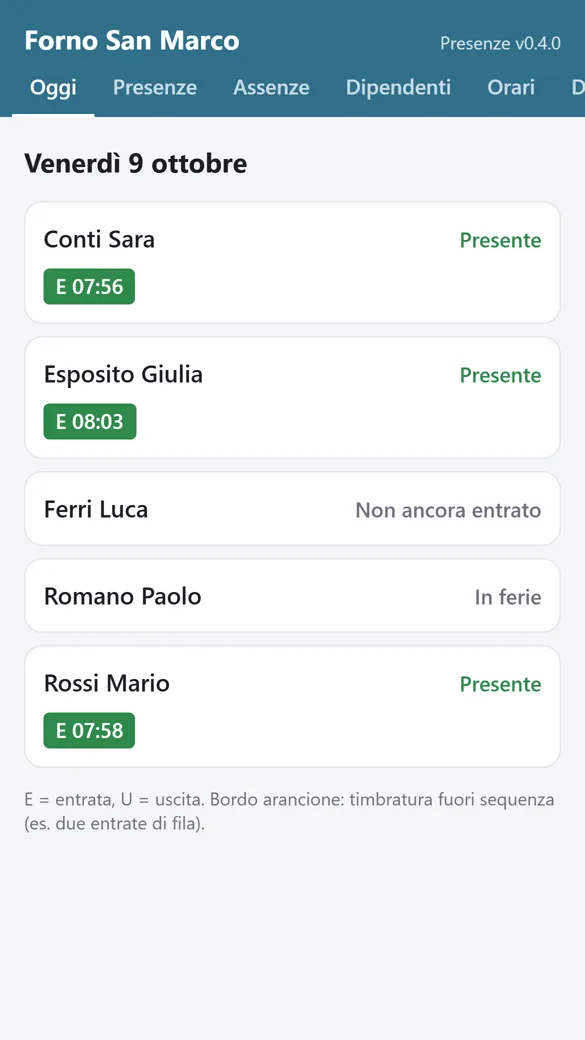
Who is in, who has left, who hasn't arrived yet and who is on holiday: all on one screen that updates itself.
Secure by design
One phone per employee, pairing links that work only once, and the time taken from the server, not from the phone.
The whole month, under control
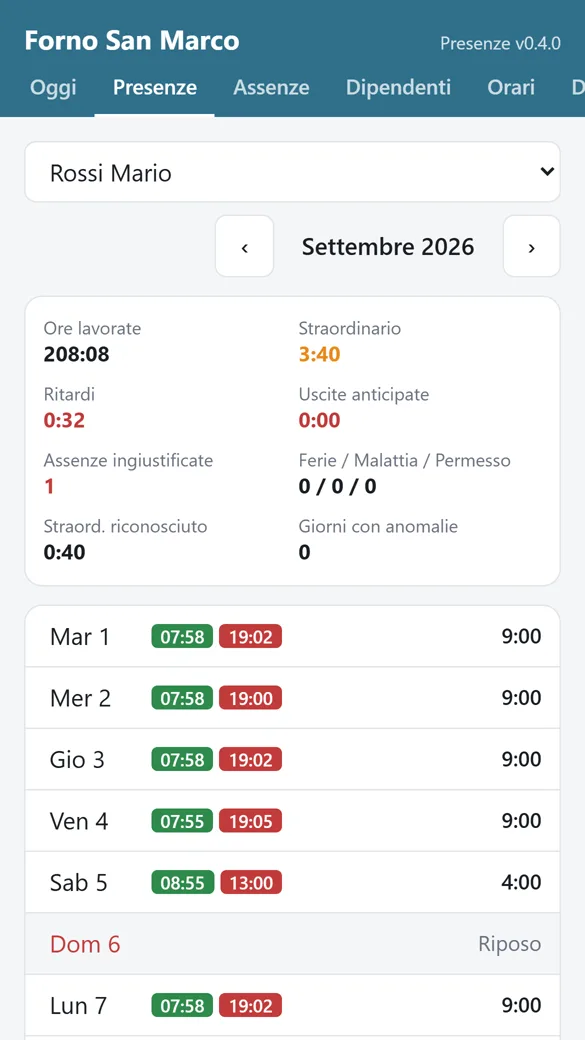
For each employee, the monthly summary and the day-by-day detail, with clock-ins and hours worked:
Hours worked and overtime
Late arrivals and early departures
Unauthorised absences, holidays, sick leave and time off
Approved overtime and days with anomalies
Both Timbra, the clock-in app on the employee's phone, and the owner's panel can be installed as apps.
Coming soon: the monthly Excel report to send to your payroll consultant with one tap, and an alert on the owner's phone when an employee hasn't clocked in within 15 minutes.
Frequently asked questions
What people ask us about Presenze.
Do employees need an app to clock in?
No: the employee holds their phone to the tag and the clock-in is recorded in the browser. If they like, they can add Timbra to their home screen like an app.
Can the tags be copied or used from home?
No: NTAG 424 DNA tags sign every read, each employee is paired with a single phone, and the clock-in time is the server's, not the phone's.
How are late arrivals and overtime calculated?
Using each employee's schedule and a tolerance chosen by the company: within the tolerance the shift time applies; beyond it, a late arrival is flagged. Overtime only counts the time worked beyond the schedule, and on public holidays every hour.
Does it handle holidays, sick leave and public holidays?
Yes: holidays, sick leave and time off are recorded as a from/to period, and national public holidays, Easter Sunday, Easter Monday and the patron saint's day are already set up.
Can the owner correct a clock-in?
Yes: they can excuse a late arrival, approve overtime or add a forgotten clock-in. Original clock-ins are never deleted and every correction is tracked.
Does it connect to the business software?
Yes: with KeyStore in Cloud's Attendance module, the owner sees on the software's home page who came in today and at what time.
Who develops Presenze?
ATSoft, a software house based in Camposano, near Naples, in business since 1993: phone +39 081 235 42 19 (Italian and English), WhatsApp +39 333 223 3552 (we reply in English within the day).
Let's talk
Would you like to try Presenze?
We show you how it works and set it up for your business. Presenze also connects to KeyStore in Cloud, our business software, where the owner sees on the home page who came in today. For bars and restaurants there's the MenuBar digital menu.